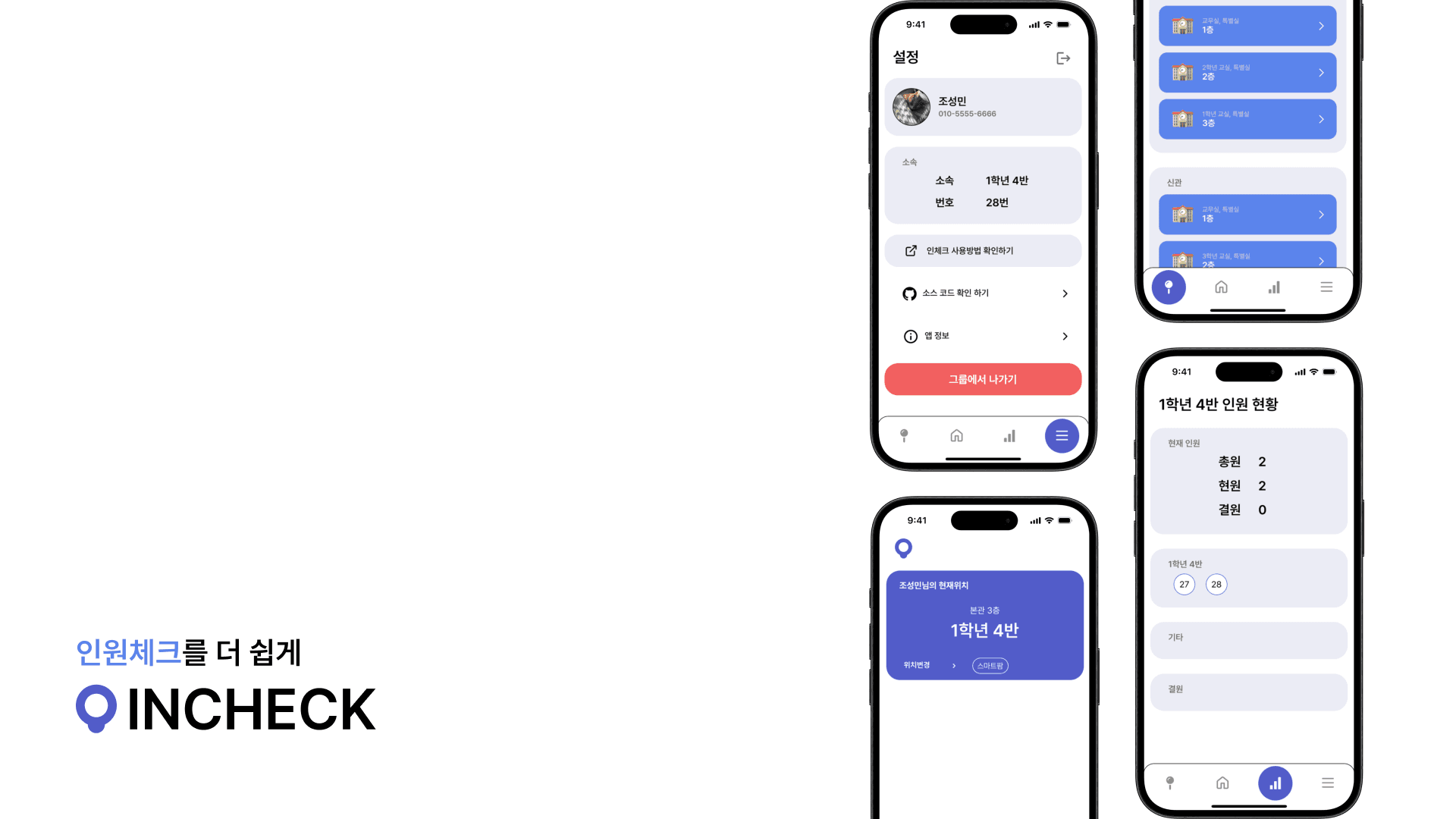

This project was built to take part in the 9th Creative IT Competition hosted by Korea Digital Media High School.
1. Overview
While attending Korea Digital Media High School, I felt just how important student headcount management was at the school level.
That's what led me to think it would be valuable to build a system that makes it easier for institutions that need to track attendance, and I built this project around that idea.
From the school's perspective, I saw this project as a way to do attendance checks after class, during evening self-study, and at other times, with less staff and time than before.
From a student's perspective, I also thought it could solve the problem of students who move outside the classroom having to ask someone else to update their location, or forgetting to log a location change — both of which made it hard to track exactly where someone went and why.
2. System Architecture
I built the app with React Native, and used Firebase to store location updates.
incheck is made up of the following screens.
| Screen | Role |
|---|---|
| Home screen | Shows the user's current location and their favorited locations |
| Location selection screen | Lets the user select their location or add it to favorites |
| Headcount screen | Shows the current headcount of the user's group (classroom) |
| Settings screen | Access user-related settings and information |
3. Retrospective
This was my second project with React Native, after EYESAM. At the time, I still wasn't fully comfortable with React Native, so I tried to go beyond Expo and get hands-on with more native features and things I hadn't touched before, like the Context API.
I only had about 10 days to build the project, so working with an unfamiliar stack and a variety of new technologies wasn't easy — but by using my time as efficiently as I could at the end of the semester, I managed to finish the project within the deadline.
I also wasn't very comfortable with Figma yet, so looking back now, I'm not fully happy with the app's UI design — but considering I did my best at the time, that it was my first UI design done in Figma, that I was only a first-year high schooler, and that I was learning the early stages of development in parallel, I think it was the best design I could have produced then.
And since this was a competition, I put a lot of effort into preparing my presentation and slides for the judges.
About 10 minutes before the competition, I was suddenly told that the audience wouldn't just be the judges but the entire student body — which caught me off guard — but I did my best with what I had prepared, and it got a great response from my fellow students.
After the presentation, I got to know other student developers at school much better, and that experience showed me that competitions aren't just about winning — they're also a chance to network and get your work in front of people. Since then, I've taken part in competitions much more actively.